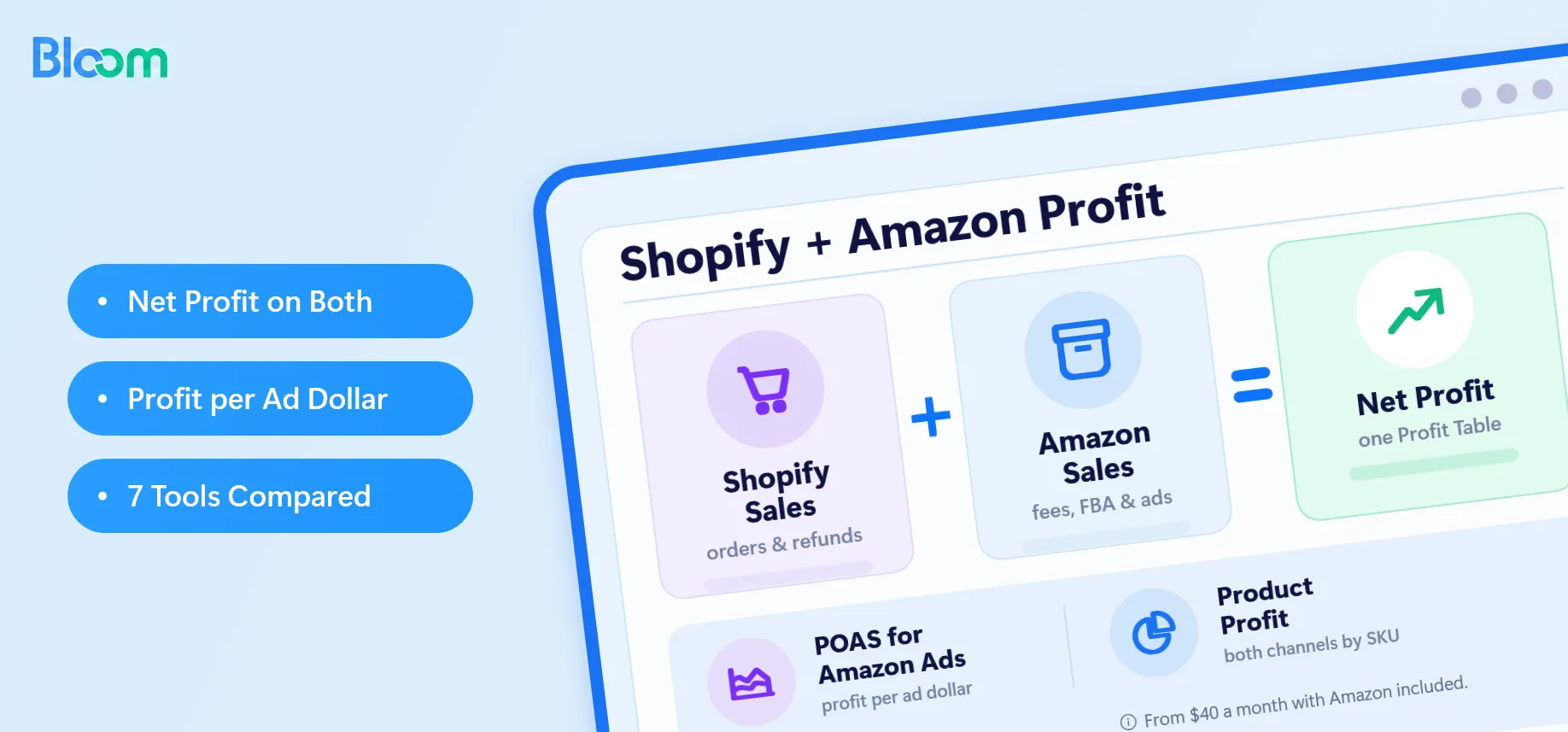


The best analytics for Shopify and Amazon is a tool that shows net profit on both channels, not just revenue. For most sellers running both stores, that tool is Bloom Analytics. It tracks Shopify and Amazon profit in one Profit Table, shows which ads and products make money, and ties revenue and profit back to every marketing channel, from $40 a month with Amazon included.
You don't need an expensive analytics stack to grow a Shopify or Amazon store. Revenue, sales, traffic and ROAS look good on a dashboard, but none of them tell you how much money you kept. Amazon referral fees, FBA fees, refunds, shipping, COGS and ad spend all sit between a sale and your profit. A store can grow revenue 30% and still lose money if those costs grow faster.
This guide covers seven analytics tools for Shopify and Amazon sellers, starting with Bloom, plus the six criteria to judge any tool by. Prices are as listed on vendor pricing pages and the Shopify App Store in November 2026.
Key Takeaways
- The best analytics for Shopify and Amazon shows net profit on both channels after Amazon fees, refunds, shipping, COGS and ad spend, not just revenue.
- Bloom Analytics tracks that in one unified Profit Table, with a waterfall from gross profit to profit after fulfillment and ad spend to net profit.
- Bloom shows which ads and products make money on Shopify and Amazon, including POAS for Amazon Ads, plus attribution with multiple models and lookback windows.
- Bloom connects to ChatGPT and Claude through MCP, so you can ask profit questions in plain English.
- The full Shopify + Amazon profit view costs $40 a month, about 0.05% of revenue for a store doing $1M a year.
Shopify and Amazon analytics tools at a glance
Here's a quick summary of all seven tools. Costs assume a store doing $1M a year (about $83,000 a month) on the entry plan that includes Amazon.
| Tool | Starting price (monthly) | Cost at $1M revenue a year | Best for | Reviews |
|---|---|---|---|---|
| Bloom Analytics | Free plan; starts at $20 | 0.05% | Shopify + Amazon brands that want POAS for Amazon Ads, marketing attribution, net profit by product, channel, email and country, and AI analysis in ChatGPT and Claude through MCP | 5 ⭐ |
| Triple Whale | Free; paid by quote | Varies with GMV | Shopify DTC brands with heavy ad spend | 4.1 ⭐ |
| Saras Analytics | $1,999 | 2.4% | $10M+ brands needing CFO-grade margin | 4.7 ⭐ |
| Sellerboard | $19 | 0.02% | Amazon-first FBA sellers | 4.3 ⭐ |
| Polar Analytics | $750 | 0.9% | $5M+ brands wanting BI dashboards | 4.9 ⭐ |
| Niblin | $299 | 0.36% | Teams who want an AI analyst | 5 ⭐ |
| Daasity | $1,499 | 1.8% | Omnichannel brands with a data team | 4.7 ⭐ |
What should you look for in Shopify and Amazon analytics?
A good multi-channel analytics tool passes what we call the Net Profit Test: it can tell you, for last week, how much net profit each channel made after every cost. Combined revenue doesn't count. Use the six criteria below to judge any tool, including the seven on this list.
Cross-platform data integration
Shopify and Amazon report sales, fees and payouts in different formats and on different schedules. The tool should pull both automatically and let you view them combined or side by side. If you're exporting Seller Central reports into a spreadsheet every Monday, the tool isn't doing its job. Bloom syncs Shopify sales plus Amazon sales, Amazon Ads and Amazon expenses automatically, and its Profit Table shows both channels combined or separately.
Net profit and margin tracking
Look for net profit after every cost, not gross sales minus ad spend. Layered margins (gross profit, then profit after fulfillment and ad spend, then net profit) show exactly where profit leaks. Bloom shows these layers as a waterfall in its Profit Table, so you can see which cost is eating your margin.
Ad profitability, not just ROAS
ROAS tells you revenue per ad dollar. POAS (profit on ad spend) tells you profit per ad dollar, and that's the number that decides whether a campaign should scale. It matters most on Amazon Ads, where ACoS ignores fees and COGS. Bloom reports POAS for Amazon Ads and your Shopify ad channels, campaign by campaign.
Product and SKU-level profit
You need profit by SKU, so you can see which products carry the business and which only add revenue. In our experience, the best seller on Amazon is often not the most profitable one once FBA fees and returns land. Bloom puts product-level profit for both channels side by side, so your most and least profitable products are easy to spot.
Fees, refunds, shipping and fixed costs
Amazon referral and FBA fees, refunds, shipping and fixed expenses like software and salaries all belong in the P&L. A tool that skips any of them overstates profit, sometimes by several margin points. In Bloom you set costs separately for each store, so Amazon fees, refunds, shipping and expenses all land in the right channel.
Ease of use for a founder
A founder should be able to answer "did we make money last week?" in under a minute. No dashboard building, no analyst, no SQL. In Bloom that's one look at the Profit Table, or one question to ChatGPT or Claude through MCP.
The 7 best analytics tools for Shopify and Amazon sellers
The seven tools below cover budgets from $19 to $1,999 a month. They're ranked by how well each passes the Net Profit Test for a seller running both Shopify and Amazon, with price as the tiebreaker.
1. Bloom Analytics: best for Shopify + Amazon net profit
Bloom Analytics is a profit analytics and attribution app for Shopify brands that also sell on Amazon. It builds a full P&L from gross revenue down to net profit, across orders, products, countries, marketing channels and sales channels, for less than most tools charge for a single one of those views.
Why choose Bloom?
Bloom is the most affordable tool on the market that gives Shopify + Amazon sellers accurate net profit, ad and product profitability, marketing attribution and AI analysis in one app, starting at $40 a month with Amazon included. Both channels are first-class: Amazon isn't bolted onto a Shopify dashboard, and Shopify isn't an afterthought to an Amazon tool.
What sets Bloom apart
- Accurate net profit across Shopify and Amazon. Every cost between a sale and your profit lands in the right channel: Amazon referral and FBA fees, refunds, shipping, COGS, ad spend and expenses. The Profit Table shows both channels combined or separately, with a waterfall that shows where margin goes.
- Amazon Ads and product profitability. Bloom measures Amazon Ads in POAS, so you see profit per ad dollar instead of ACoS alone. Product-level profit across both channels shows which SKUs carry the business and which only add revenue.
- AI analysis in ChatGPT and Claude. Connect Bloom through MCP and ask questions like "Which Amazon campaigns lost money last month?" in plain English, answered from your own data.
- Full features at an affordable price. Plans start at $20 a month, and the full Shopify + Amazon profit view costs $40 a month, about $480 a year. Prices are flat by plan and don't climb as your GMV grows.
Key features
- Unified Profit Table that tracks overall profitability across Shopify and Amazon, with a waterfall view of gross profit, profit after fulfillment & ad spend and net profit.
- Ad and product-level profitability across both channels, showing your most and least profitable campaigns and products.
- Marketing Attribution with multiple attribution models and lookback windows.
- Country-level profit, channel-level profit, Email Profits and Daily Insights.
- MCP connection to ChatGPT or Claude for AI-powered analysis and automation.
Pricing.
Free plan, then Sprout $20, Grow $40 and Flourish $80 a month. Amazon sales, ads and expenses are included from Grow, so the full Shopify + Amazon profit view costs $40 a month, about $480 a year.
Pros
- Covers every cost between Shopify and Amazon revenue and net profit.
- Measures Amazon Ads as POAS, not only ACoS.
- Full Shopify + Amazon profit view for $40 a month.
- Flat plan pricing that doesn't climb with your GMV.
- No data team needed: the Profit Table and AI analysis answer most questions in minutes.
Cons
- Built for operators, not data teams, so there's no raw-data warehouse or SQL layer.
- Pixel-based attribution loses some accuracy on iOS traffic.
Best for: Shopify brands selling on Amazon that want true net profit per channel, product and ad, without enterprise pricing.
2. Triple Whale
Triple Whale is a marketing attribution and analytics platform built around Shopify. It's best known for its first-party pixel, creative analytics and Moby, its AI assistant.
Why choose Triple Whale?
If your growth depends on Meta and Google spend, it gives some of the deepest attribution data available for Shopify. The Triple Pixel helps recover tracking lost since iOS 14.5.
Key features
- Triple Pixel first-party attribution with multiple attribution models.
- Moby AI for questions, reports and anomaly alerts.
- Creative analytics for ad-level performance.
- Post-purchase surveys and a profit dashboard.
Pricing. A free Founders Dash plan, then Foundation, Automate and Enterprise. Paid prices aren't shown on the pricing page; you book a call with sales. Pricing scales with GMV (gross merchandise value), and third-party reports put paid plans between a few hundred and over $1,000 a month.
Pros
- Strong pixel-based attribution for paid social.
- Mature AI assistant and creative reporting.
- Free tier for small stores.
Cons
- Quote-based, GMV-linked pricing makes cost hard to predict as you grow.
- Amazon is secondary, so Amazon-heavy sellers should test its fee and ad reporting in a demo first.
- Several features sit behind add-ons on some plans.
Best for: Shopify-first DTC brands spending heavily on Meta and Google that need attribution more than Amazon profit.
3. Saras Analytics
Saras Analytics is an ecommerce data company. Its AI analyst, Saras iQ, answers questions in plain English from a certified data set built on Saras Daton pipelines. Saras also sells Saras Pulse dashboards, so you'll see both names in reviews.
Why choose Saras? It's built for brands whose CFO needs contribution margin by channel that matches the books. Saras says its data is backed by 500+ daily QA checks, and every answer can show the SQL behind it.
Key features
- iQ Chat: ask questions and get answers with a chart.
- Contribution margin analytics on daily, weekly and monthly views.
- Customer analytics, cohorts and segmentation.
- iQ MCP for Claude, plus a Slack integration.
- Response verification with SQL transparency.
Pricing. iQ Essentials starts at $1,999 a month and targets Shopify brands with $10M to $50M in annual revenue. Enterprise is custom-priced for $50M to $500M brands. A free trial is available.
Pros
- Certified, auditable numbers suited to finance reporting.
- Covers Amazon Vendor Central as well as Seller Central.
- Managed data foundation, so you don't build your own warehouse.
Cons
- Highest entry price on this list: about 2.4% of revenue for a $1M store.
- Built for $10M+ brands. Smaller stores pay for depth they won't use.
- On Essentials, wholesale data is topline only, via a Google Sheet.
Best for: $10M+ brands that need CFO-grade contribution margin across Shopify, Amazon and other channels.
4. Sellerboard
Sellerboard is a profit analytics tool built for Amazon sellers, with Shopify support added later. It tracks Amazon fees, COGS, PPC and refunds down to the SKU.
Why choose Sellerboard? For an Amazon-first business, it's one of the cheapest ways to see accurate Amazon profit. All plans include the core features; they differ only by order volume and accounts.
Key features
- Live profit dashboard and Amazon P&L with product-level margins.
- Amazon fee, refund and reimbursement tracking.
- PPC optimization, plus inventory management with restock alerts.
- Listing change alerts and automated review-request emails.
Pricing. Billed monthly: Standard $19 (3,000 orders), Professional $29 (6,000), Business $39 (15,000) and Enterprise $79 (50,000). Annual billing drops these to $15, $23, $31 and $63. Free trial available.
Pros
- Very low cost with transparent, order-based pricing.
- Detailed Amazon fee and SKU profit tracking.
- Extra Amazon operations tools, such as restock alerts and review requests.
Cons
- Shopify is secondary, and DTC attribution for Meta, Google or TikTok is limited.
- Some reviewers find the interface dated next to newer tools.
- Cost steps up as order volume grows.
Best for: Amazon FBA sellers with a small Shopify store who want low-cost Amazon profit tracking.
5. Polar Analytics
Polar Analytics is an AI analytics and BI (business intelligence) platform for ecommerce brands. It centralizes store, marketplace and marketing data in a managed warehouse with ready-made dashboards.
Why choose Polar?
It suits brands that want custom dashboards, raw data access and strong support without building their own data stack.
Key features
- Customizable dashboards with AOV, LTV and cohort retention built in.
- Ask Polar AI and the Polar MCP connector for natural-language questions.
- Daily reports and alerts when revenue, ROAS or CAC moves outside expected ranges.
- Raw data access through Snowflake for data-savvy teams.
Pricing. From $750 a month on the Shopify App Store, scaling with annual GMV. Some modules, such as Klaviyo audiences and incrementality testing, cost extra.
Pros
- Strong custom reporting and raw data access.
- Native Seller Central and Vendor Central support.
- Well-reviewed support, rated 4.8 from 110 reviews on Shopify.
Cons
- Entry price is about 0.9% of revenue for a $1M store.
- GMV-based pricing rises as you grow, and add-ons raise the total.
- More setup and analysis than a founder-run store may need.
Best for: Brands doing $5M+ a year that want BI-grade dashboards across Shopify and Amazon.
6. Niblin
Niblin is an AI analytics agent for ecommerce. Instead of browsing dashboards, you ask questions in plain English and get computed answers.
Why choose Niblin?
It suits operators who'd rather ask questions than build reports, with Shopify and Amazon in the same conversation.
Key features
- An AI agent with 50+ specialized commerce skills.
- 50+ reports covering P&L, ROAS, CAC and LTV.
- A morning briefing across all connected channels.
- Automated anomaly alerts.
Pricing.
Growth $299 a month (3 seats, or $2,990 a year), Pro $799 (10 seats) and Scale $1,499 (25 seats). Free trial available.
Pros
- Fast answers without building dashboards.
- Amazon and Amazon Ads included on every plan.
- Quick, no-code setup.
Cons
- Entry price is about 0.36% of revenue for a $1M store.
- Newer, with only a handful of public Shopify reviews so far.
- Lighter on attribution and creative analytics than Triple Whale.
Best for: Shopify and Amazon teams who want an AI analyst to answer questions on demand.
7. Daasity
Daasity is an omnichannel data and analytics platform for consumer brands. It unifies DTC, Amazon, retail and wholesale data in a managed data warehouse with pre-built reports.
Why choose Daasity?
It's built for brands whose data no longer fits in one app: multiple stores, retail partners, wholesale and marketplaces, with a team that can use a warehouse.
Key features
- Managed data warehouse with pre-built ecommerce data models.
- Omnichannel reporting across DTC, Amazon, retail and wholesale.
- Customer, retention and LTV analytics.
- A promotion predictor that models campaign impact before you spend.
Pricing. Daasity's pricing page lists self-service Starter Essentials at $1,499 a month; its Shopify App Store listing shows $1,899. Its starting price rose from $399 in early 2026.
Pros
- Broad channel coverage, including retail and wholesale.
- Warehouse-grade data for custom analysis.
- Good fit for multi-brand or multi-store groups.
Cons
- Entry price is about 1.8% of revenue for a $1M store.
- Needs data maturity, and usually an analyst, to get full value.
- Overkill for a brand that only sells on Shopify and Amazon.
Best for: Multimillion-dollar brands selling across DTC, Amazon, retail and wholesale, with an in-house data team.
Final thoughts
For Shopify and Amazon sellers, the gap between revenue and profit is made of fees, refunds, shipping, COGS and ad spend on two very different platforms. Bloom Analytics is built to close that gap.
It puts Shopify and Amazon net profit in one Profit Table, shows which ads and products make money, attributes revenue and profit to every marketing channel, and answers your questions in ChatGPT or Claude. The full Shopify + Amazon profit view starts at $40 a month, less than 0.1% of revenue for a $1M store.
Start on Bloom’s free plan and see your true net profit per channel.
Frequently Asked Questions
What is the best analytics tool for selling on both Shopify and Amazon?
Bloom Analytics is the best fit for most sellers on both channels. It reports Amazon channel profit, Amazon net profit and Amazon Ads POAS alongside Shopify profit and multiple attribution models, starting at $40 a month with Amazon included. That's about 0.05% of revenue for a store doing $1M a year.
Can Shopify analytics show my Amazon profit?
No. Shopify's built-in reports cover Shopify orders only, and Amazon Seller Central covers Amazon only. Neither subtracts the other platform's fees, COGS or ad spend. To see Amazon profit next to Shopify profit, you need a tool such as Bloom Analytics that pulls both and builds one P&L.
How much does Bloom Analytics cost?
Bloom has a free plan, then Sprout at $20, Grow at $40 and Flourish at $80 a month. Amazon sales, Amazon Ads and Amazon expenses are included from Grow, so the full Shopify + Amazon profit view costs $40 a month, about $480 a year. Plan prices are flat and don't rise with your GMV.
Can I ask ChatGPT or Claude about my Bloom data?
Yes. Bloom connects to ChatGPT and Claude through MCP, so you can ask questions about your profit data in plain English, such as which products or Amazon campaigns lost money last month. The answers come from your own Bloom numbers, with no dashboards to build.
What is the best Amazon analytics tool?
For Amazon-only profit tracking, Sellerboard is a low-cost option at $19 a month with detailed fee, PPC and SKU profit. Tools like Helium 10 and Jungle Scout focus on product and keyword research rather than profit. If you also sell on Shopify, Bloom tracks Amazon and Shopify profit in one place.
What are the best Shopify analytics apps?
It depends on the question you need answered. Bloom Analytics covers profit and attribution across Shopify and Amazon from $20 a month. Triple Whale focuses on pixel attribution for heavy ad spenders. Polar Analytics suits $5M+ brands that want custom dashboards. Shopify's built-in analytics cover sales and traffic basics for free.
How much should a Shopify and Amazon seller spend on analytics?
A practical rule is to keep analytics below 0.5% of revenue until you have a data team. For a $1M store, that's about $400 a month. Bloom's Grow plan, with Amazon included, costs $40 a month, about 0.05% of revenue, which leaves room in the budget for the rest of your stack.
What's the difference between ACoS, ROAS and POAS?
ACoS is ad spend divided by ad revenue, and ROAS is the inverse: revenue per ad dollar. POAS is profit per ad dollar, after COGS, fees and shipping. A campaign with a 20% ACoS (a 5.0 ROAS) can earn little or even lose money once Amazon referral and FBA fees come out, and only POAS shows it.
Do I need a data warehouse to track Shopify and Amazon profit?
Not until your data outgrows one app. Bloom calculates net profit across Shopify and Amazon without a warehouse, which suits most brands under $5M. Warehouse-based platforms such as Daasity, Polar or Saras pay off when you add retail, wholesale or multiple brands and have an analyst to use them.