

Selling on TikTok Shop is one of the fastest ways for a Shopify merchant to turn short-form video attention into actual orders. The Shopify TikTok sales channel is the native integration that makes it possible without running two separate operations. This guide covers what the channel is, what you need to start, how to set it up, how to manage products and orders, and how to track whether TikTok Shop is actually profitable for your store.
Key Takeaways
- The Shopify TikTok channel is a free, native integration that syncs your catalog, inventory, orders, and ads between Shopify and TikTok Shop.
- To start, you need a store in a supported country, a verified location, a return policy page, a TikTok for Business account, and products that meet TikTok's regional guidelines.
- Most setup failures come from a mismatched Shopify location address or a location name longer than 35 characters.
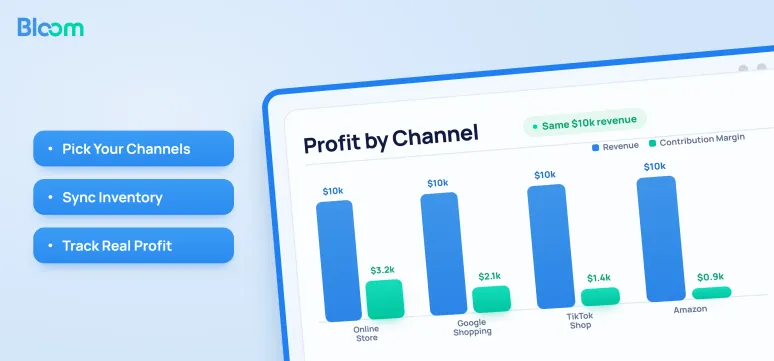
- TikTok Seller Center and TikTok Ads Manager show volume and ad metrics. Shopify shows revenue and orders. Neither shows true profit.
- Tracking real TikTok Shop performance needs a full profit waterfall built on TikTok settlement data. Bloom's TikTok Profit Table is built for this.
What Is the Shopify TikTok Sales Channel?
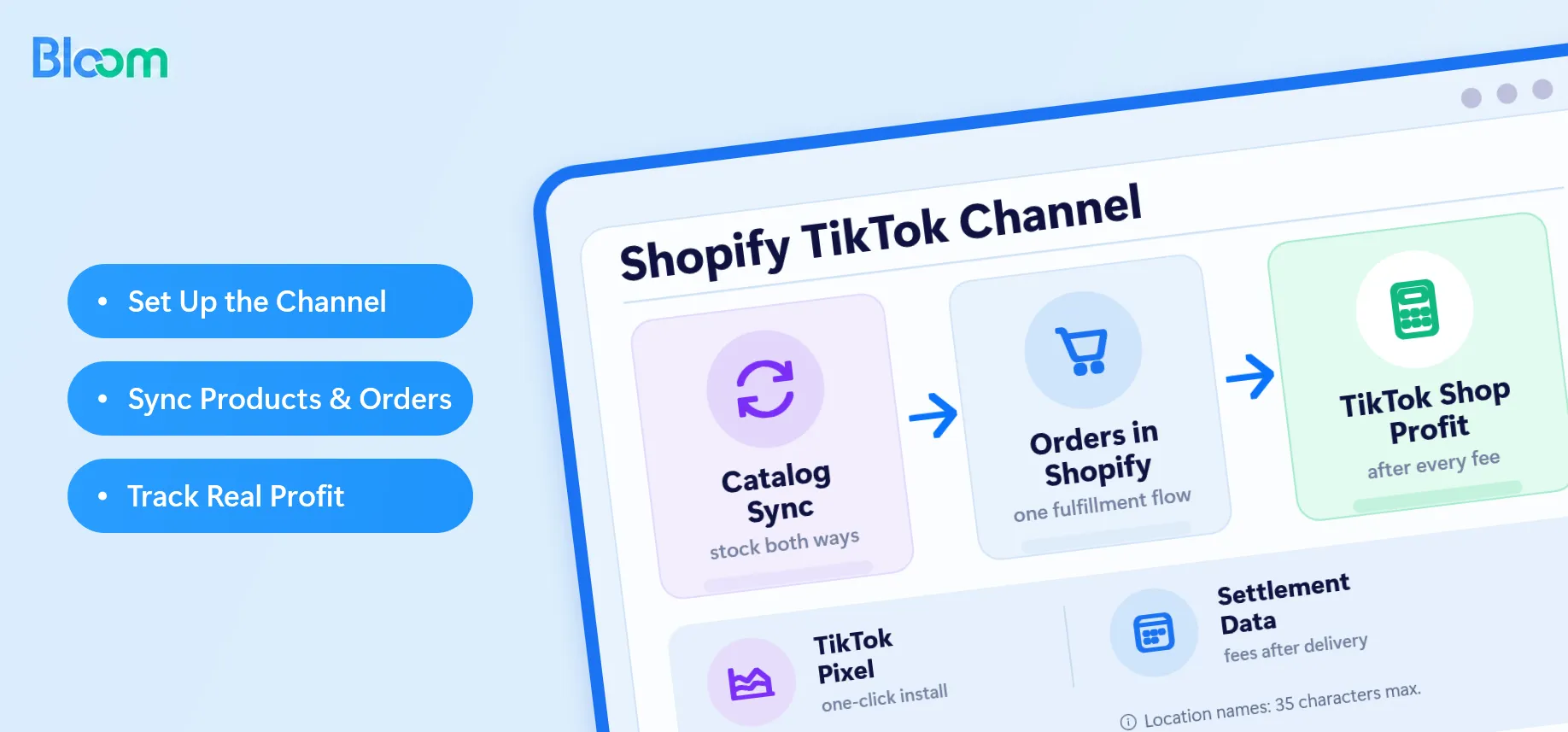
The Shopify TikTok sales channel is a native integration, available in the Shopify App Store, that connects your Shopify store to TikTok Shop. You can set up the TikTok sales channel to connect to TikTok Shop and sync catalog, inventory, fulfillment, and orders between Shopify and TikTok Shop.
It is built and maintained by TikTok as the official way for Shopify merchants in supported countries to sell on TikTok Shop. Before the sales channel existed, selling on TikTok Shop meant signing up directly in TikTok Shop Seller Center and running it as a separate storefront, with its own catalog, its own stock counts, and its own order queue. The Shopify TikTok sales channel replaces that separate setup with a single connection between the two platforms, so TikTok Shop runs as one more sales channel inside your Shopify store rather than a parallel business you have to manage on its own.
How Shopify Helps You Sell on TikTok Shop
Shopify handles the operational work of selling on TikTok Shop in the background, so you can focus on content and conversion. The integration splits into three jobs: catalog, orders, and advertising.
Catalog
On the catalog side, Shopify publishes your products to TikTok Shop with the required attributes, including title, description, images, variants, weight, and dimensions, and keeps inventory in sync both ways. When a customer buys on Shopify, your TikTok Shop stock updates. When a customer buys on TikTok, your Shopify stock updates.
Orders
On the order side, Shopify pulls TikTok Shop orders into your Shopify Orders tab, where you fulfill them with your existing carriers and workflows. Tracking you add in Shopify pushes back to TikTok Shop automatically, and returns and refunds you process in Shopify update in TikTok Shop Seller Center.
Advertising
On the advertising side, Shopify installs TikTok Pixel across your storefront in one click and lets you launch Spark Ads and Smart Performance Campaigns without switching to TikTok Ads Manager.
The result is one back office, one catalog, and one fulfillment flow across your online store and your TikTok Shop.
What You Need Before Selling on TikTok Shop
Most setup problems come from skipping the checks below. Confirming each one before you install the Shopify TikTok channel saves days of back and forth with TikTok support.
On the Shopify Side
Your store needs to be based in a supported country: the United States, the United Kingdom, Spain, Ireland, France, Italy, Germany, Mexico, Japan, or Brazil. You also need a verifiable address in your Locations settings that matches Google Maps exactly, and a location name of 35 characters or fewer. Your online store has to be live (not a draft), with a return policy page displayed.
On the TikTok Side
You need a TikTok for Business account (you can create one during onboarding if you don't have one), a TikTok Shop Seller Center account for your region, and your business verification documents ready to upload. Required documents vary by country, so check your region's TikTok Shop Academy page before you start.
On the Product Side
Your products have to meet TikTok's product guidelines for your region, which cover prohibited and restricted categories. Review the list for your market before you sync products.
How to Set Up the Shopify TikTok Sales Channel
Here is the full setup path for the Shopify TikTok sales channel, from installation to a live product sync, based on Shopify's current help documentation.
Step 1: Install the TikTok sales channel. From your Shopify admin, go to Settings > Sales channels, then click Shopify App Store. Search for TikTok and click Add channel. Once installed, TikTok appears in your Shopify sidebar under Sales channels.
Step 2: Connect your TikTok Shop account. On the Set up TikTok Shop page, in the TikTok Shop section, click Connect. Log in with your existing TikTok for Business account, or register as a merchant on the spot by filling in your phone number, email, and password. Then review the TikTok Shop Merchant Terms of Service and click Connect.
Step 3: Verify your shop and upload documents. In the Shop information section, click Verify to verify your shop information. In the Upload Documents dialog, complete the required fields, and then click Next. Click Finish setup. TikTok's verification team typically takes 24 to 48 hours to approve your account.
Step 4: Configure shipping, returns, and tax. Inside the TikTok sales channel, set your shipping templates, return policy, and tax settings. These must comply with TikTok Shop Seller Center standards, otherwise TikTok will block your listings.
Step 5: Install TikTok Pixel. Inside the TikTok sales channel, open TikTok Pixel. Create a new pixel or connect an existing one, then use one-click install. TikTok Pixel powers conversion tracking for Spark Ads and Smart Performance Campaigns.
How to Handle TikTok Products and Orders in Shopify
Once your account is approved, product sync and order management both run from your Shopify admin.
Syncing Your Shopify Products to TikTok Shop
You have two options. Automatic sync publishes all eligible Shopify products to TikTok Shop and updates them in the background whenever you edit them. Manual selection lets you pick individual products to list on TikTok Shop from the TikTok sales channel in Shopify.
Before scaling, check each product against TikTok Shop's listing standards. Titles and descriptions have to follow TikTok's rules, with no prohibited claims, competitor names, or excluded keywords. Category mapping needs to be accurate because categories drive commission rates, and the wrong category costs you margin. Images have to meet TikTok's minimum resolution and aspect ratio, each variant needs to be mapped so every SKU has its own stock count, and weight, dimensions, and shipping templates have to be filled completely.
Managing TikTok Shop Orders from Your Shopify Admin
TikTok Shop orders appear in your Shopify Orders tab alongside orders from your online store. You fulfill them with your existing carriers, printing shipping labels, packing, and shipping the way you do for every other Shopify order. When you mark an order fulfilled in Shopify, tracking pushes to TikTok Shop and the customer sees it. Inventory reconciles both ways, so if a Shopify customer buys the last unit, TikTok Shop updates stock to zero, and the same happens in reverse. Returns and refunds run through Shopify, with status updates pushing to TikTok Shop Seller Center.
How to Track Your TikTok Shop Performance
Tracking TikTok Shop performance means knowing three things: how much you sold, what it cost to sell, and what actually landed in your pocket. TikTok and Shopify each cover part of that view. Neither covers all of it.
What You Get from TikTok Seller Center and TikTok Ads Manager
TikTok Shop Seller Center and TikTok Ads Manager give you volume and ad-level metrics. Seller Center shows GMV, orders, units, buyer traffic, add-to-cart rate, checkout rate, and creator performance (which creators and affiliates drove sales through the affiliate program). TikTok Ads Manager shows ad spend, impressions, clicks, CTR, CPM, and ROAS for Spark Ads, Smart Performance Campaigns, and GMV Max. Seller Center also provides settlement data, which is TikTok's record of commission, payment processing fees, shipping fees, and payouts, settled after each order delivers.
What you do not see here is the full cost of each sale. Commission is reported, but COGS, your real shipping costs, operating expenses, and non-TikTok ad spend sit elsewhere.
What You Get from the Shopify Dashboard
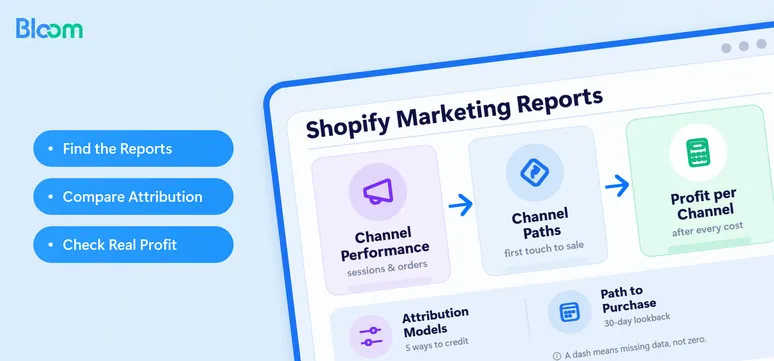
The Shopify dashboard shows TikTok Shop activity through your sales channel reports, including sales by channel (TikTok Shop revenue broken out from your online store), orders by channel, top products across all channels, and basic traffic reports for the TikTok sales channel.
What you do not see here is TikTok Shop commission, affiliate payouts, TikTok ad spend, your real COGS, and operating expenses, all netted against TikTok Shop revenue. Shopify shows TikTok Shop revenue. It does not show TikTok Shop profit.
What You Actually Need
To know whether TikTok Shop is profitable, you need a full profit waterfall for the channel. That means a single view that starts with TikTok Shop gross sales and subtracts every real cost, in order, until it lands on net profit. The waterfall has to cover revenue, product costs, TikTok Shop fees, shipping costs, marketing spend, and operating expenses.
It also has to use settlement data, not estimates. TikTok reports fees after an order is delivered, and the gap between order date and settlement date is where most profit tracking goes wrong. If your reporting uses estimated fees instead of settled fees, your numbers will shift every week and you will never trust them.
Conclusion
The Shopify TikTok sales channel handles the operational side of selling on TikTok Shop, from catalog and orders to ads, all from your Shopify admin. What it does not handle is profit tracking, and that gap is where TikTok Shop quietly turns into your fastest-growing but least profitable channel.
Bloom's TikTok Profit Table is built for this. It gives you a complete profit breakdown for your TikTok Shop orders, from Gross Sales down to Net Profit, with TikTok fees, affiliate commissions, and shipping costs pulled directly from TikTok's settlement data. You can also connect TikTok Ads to Bloom to pull in accurate ad spend, so your TikTok Ads cost is netted against TikTok Shop revenue in the same view.
Set up the Shopify TikTok sales channel. Start selling. Then connect Bloom and open the TikTok Profit Table to see what TikTok Shop is actually worth to your business.
Know your TikTok Shop profit after every fee and cost
Frequently Asked Questions
Is the Shopify TikTok Channel Free?
Yes. The Shopify TikTok sales channel is free to install from the Shopify App Store. You pay TikTok Shop's commission on each sale and whatever you spend on TikTok Ads.
Which Countries Support the Shopify TikTok Channel?
The Shopify TikTok channel is available in the United States, the United Kingdom, Spain, Ireland, France, Italy, Germany, Mexico, Japan, and Brazil. Check Shopify's current help documentation for your region before installing, since new countries roll out over time.
Can I Sell on TikTok Shop Without Shopify?
Yes. You can sell on TikTok Shop by signing up directly in TikTok Shop Seller Center. You lose the automatic product, inventory, order, and ad syncing the Shopify TikTok channel gives you.
How Long Does TikTok Shop Verification Take After Setup?
TikTok for Business verification typically takes 24 to 48 hours after you upload your documents. Individual product approvals are usually faster once your account is verified.
What Syncs Automatically Between Shopify and TikTok Shop?
Product edits, prices, stock levels, and order statuses sync in the background. Fulfillment tracking you add in Shopify flows back to TikTok. Returns and refunds you process in Shopify update in TikTok Shop Seller Center.
Why Do My Products Fail to Sync to TikTok Shop?
The most common cause is a location address mismatch. Verify that your location name is 35 characters or fewer and that your Shopify location address matches Google Maps exactly, then resync.
Does Shopify Show TikTok Shop Profit?
No. Shopify's built-in reports show TikTok Shop revenue and order volume, not profit. TikTok Shop commission, affiliate payouts, TikTok Ads spend, COGS, shipping costs, and operating expenses are not netted against TikTok Shop sales in Shopify's native dashboard. A dedicated profit analytics tool like Bloom's TikTok Profit Table shows net profit by channel.